Style Transform
The Style Transform feature allows you to convert 3D models into different artistic styles and add unique visual effects. Whether you want a cubified pixel style or Yo.Town's signature style, it can be done easily.
Feature Overview
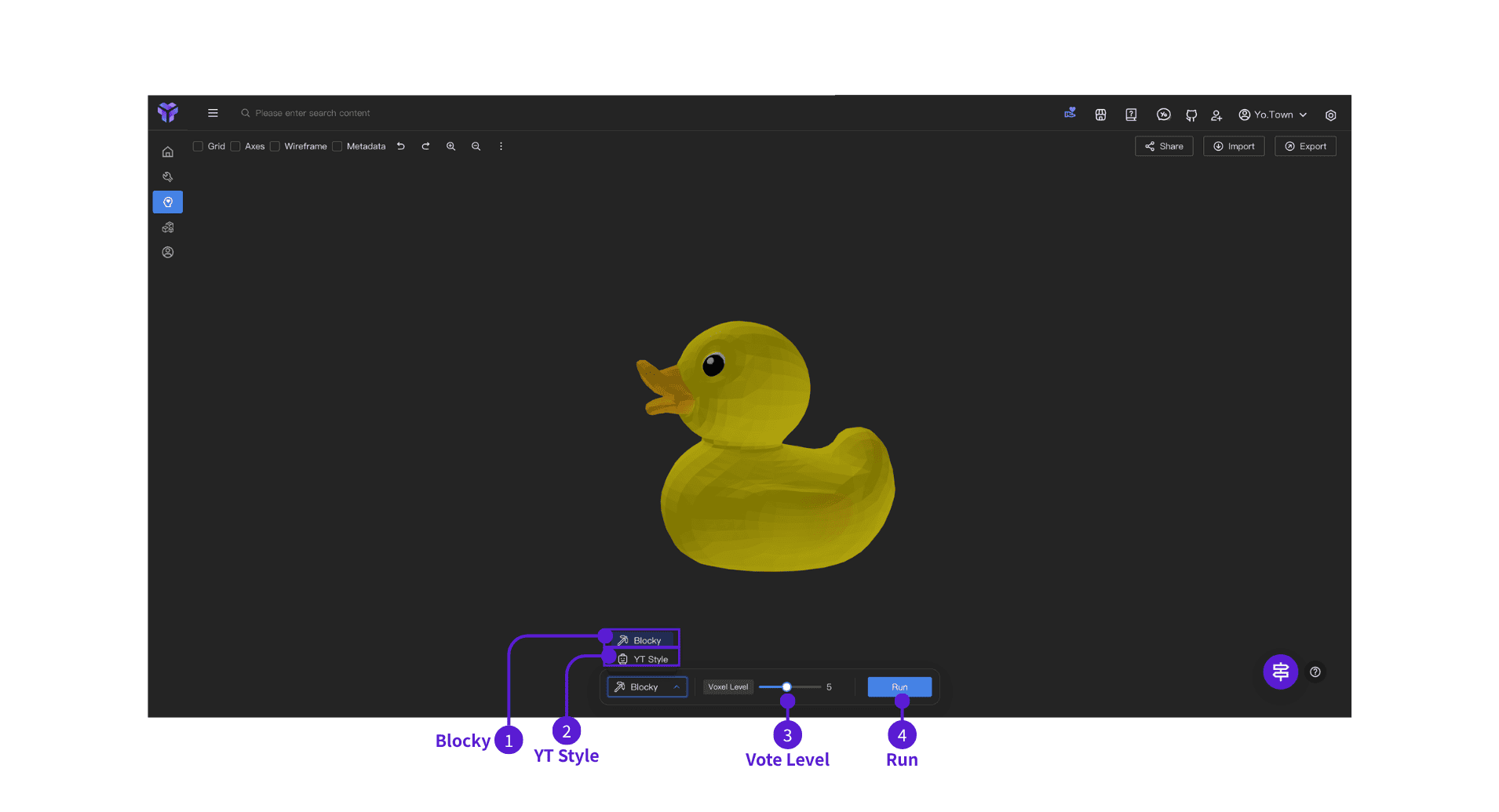
Cubification
- ⓵ Blocky - In the bottom control panel, choose Blocky
- ⓶ YT Style - In the bottom control panel, choose YT Style (coming soon)
- ⓷ Voxel Level - Drag the slider to set detail (range 1–10, default 5)
- Low (1–3): larger blocks, good for quick previews
- Medium (4–6): balances detail and performance (recommended)
- High (7–10): more detail but longer processing (level 10 is very slow and not recommended for routine use)
- ⓸ Run - Click Run; the app processes the model and applies the voxel style
FAQ
Q: Does Blocky change the model shape?
A: It changes the surface to a blocky look while trying to keep the overall shape and proportions of the original.
Q: Can I undo a style conversion?
A: Yes. Use the undo button (↶) in the top toolbar to revert the conversion and restore the original model.
Q: Is a higher Voxel Level always better?
A: Not necessarily. Pick a high level when you need fine detail, a low level for speed, and a medium level for balance (recommended).
Q: How long does Blocky take?
A: It depends on model complexity and Voxel Level.
Get started
Click the button above to open Style Transform in Yo.Town Maker and start applying styles to your 3D models.