Music 3D
Music 3D is an innovative music creation tool that combines traditional staff editing with a 3D visualized piano keyboard, allowing you to create, edit, and visualize music in a 3D environment.
Feature Overview
Music 3D is a complete music creation tool that combines traditional staff editing with a 3D visualized piano keyboard.
- Staff Editing - Supports treble and bass clefs, and full score editing
- 3D Piano Keyboard - A 3D piano keyboard that intuitively shows note positions
- BPM Control - Precisely control the music tempo
- Real-time Preview - View note positions on the keyboard in real time while editing
- Import/Export - Supports importing and exporting music files
How to Use
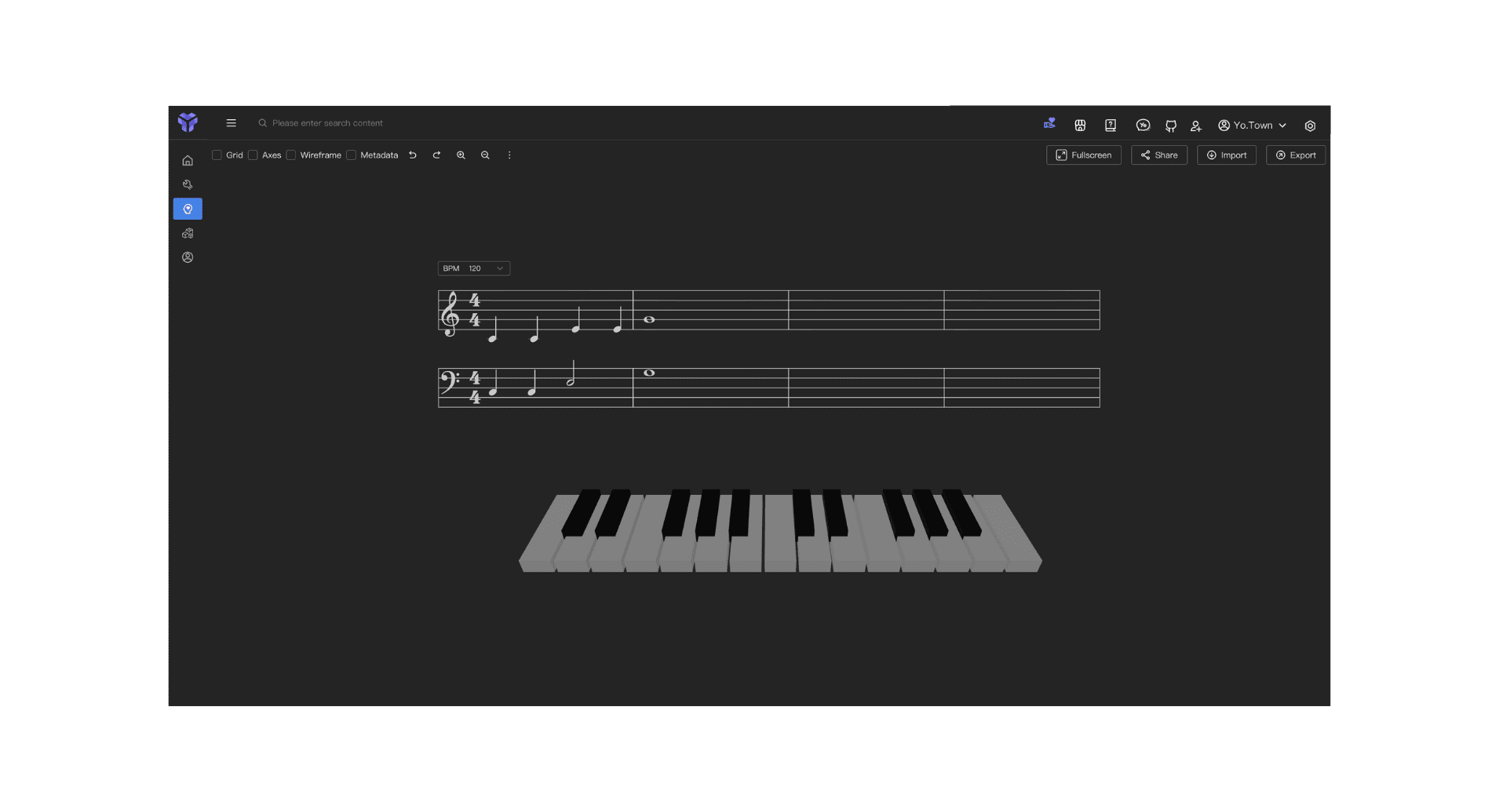
Create a New Piece
- Set BPM - Click the BPM control box to choose or input the tempo (recommended to start from 120)
- Add Notes - Click on the staff to add notes (supports both treble and bass clefs)
- Press the Keyboard - While adding notes, the 3D keyboard will display the corresponding keys in real time
Main Features
- Staff Editing: Supports treble and bass clefs; you can add, edit, and delete notes
- BPM Control: Controls the music tempo; default 120 BPM and adjustable
- 3D Piano Keyboard: Shows note positions on the keyboard in real time; you can click keys directly or use your computer keyboard
FAQ
Q: Can the 3D keyboard be clicked?
A: Yes. Click the keys on the 3D keyboard with your mouse to play the corresponding notes, and the highlighted keys make it easier for you to practice along.
Start Using Now
Click the button above to enter Yo.Town Maker's Music 3D page and start your music creation journey.