Discover+Show
Discover+Show is Yo.Town's community gallery for shared 3D creations. Here, you can explore inspiring work from other creators, learn new ideas, and publish your own creations.
Page Overview
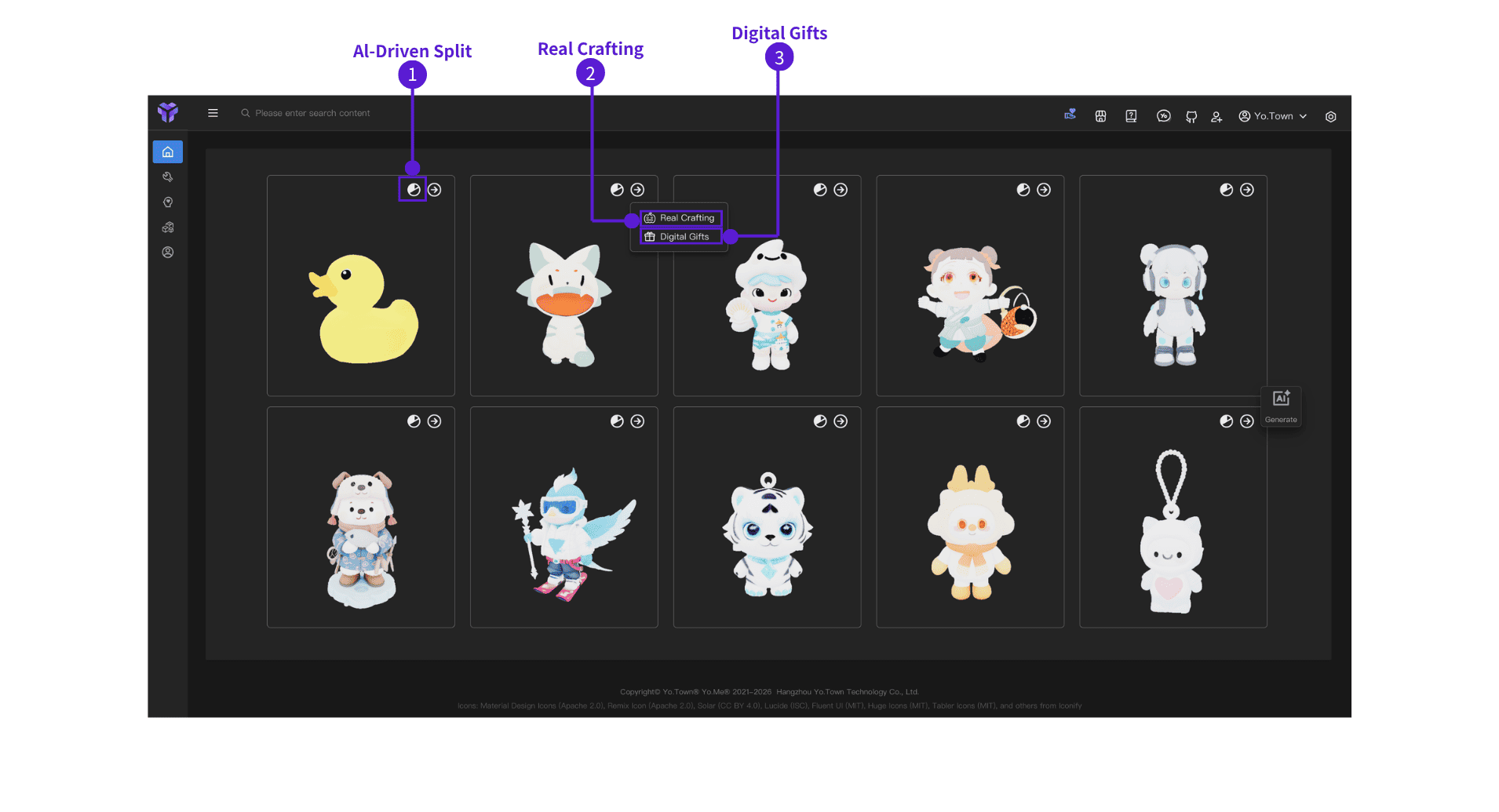
Browse Works
- Scroll up to see more works.
- Click any work card (image or title) to open the model in Playground and view details.
- Click ⓵ AI Segmentation to enter AI Segmentation.
- Click ⓶ Real Crafting to enter Real Crafting.
- Click ⓷ Digital Gifts to enter Digital Gifts.
Usage Tips
- Find Inspiration: Browse popular works and see what others are making.
- Learn Techniques: Click a work to view details and learn how it was made.
- Share Your Work: Share your works so more people can see them.
Common Questions
Q: What should I do if I can't find the work I shared?
A: On the Artifacts Posts page, find your work, click the "More" button, and choose "Publish to Discover".
Q: Can shared works be deleted?
A: Yes. On the Artifacts Posts page, find the work you shared, click the "More" button, and choose "Delete".
Start Browsing
Open Discover+Show Click the button above to enter Yo.Town Maker's Discover+Show, discover great 3D creations, and get inspiration.