Common Features
The following basics are included in every subscription plan—whichever plan you choose, you can use them all.
Interface overview
Quick import
You can drag a model file anywhere on the page; the app will detect and load it.
Top bar
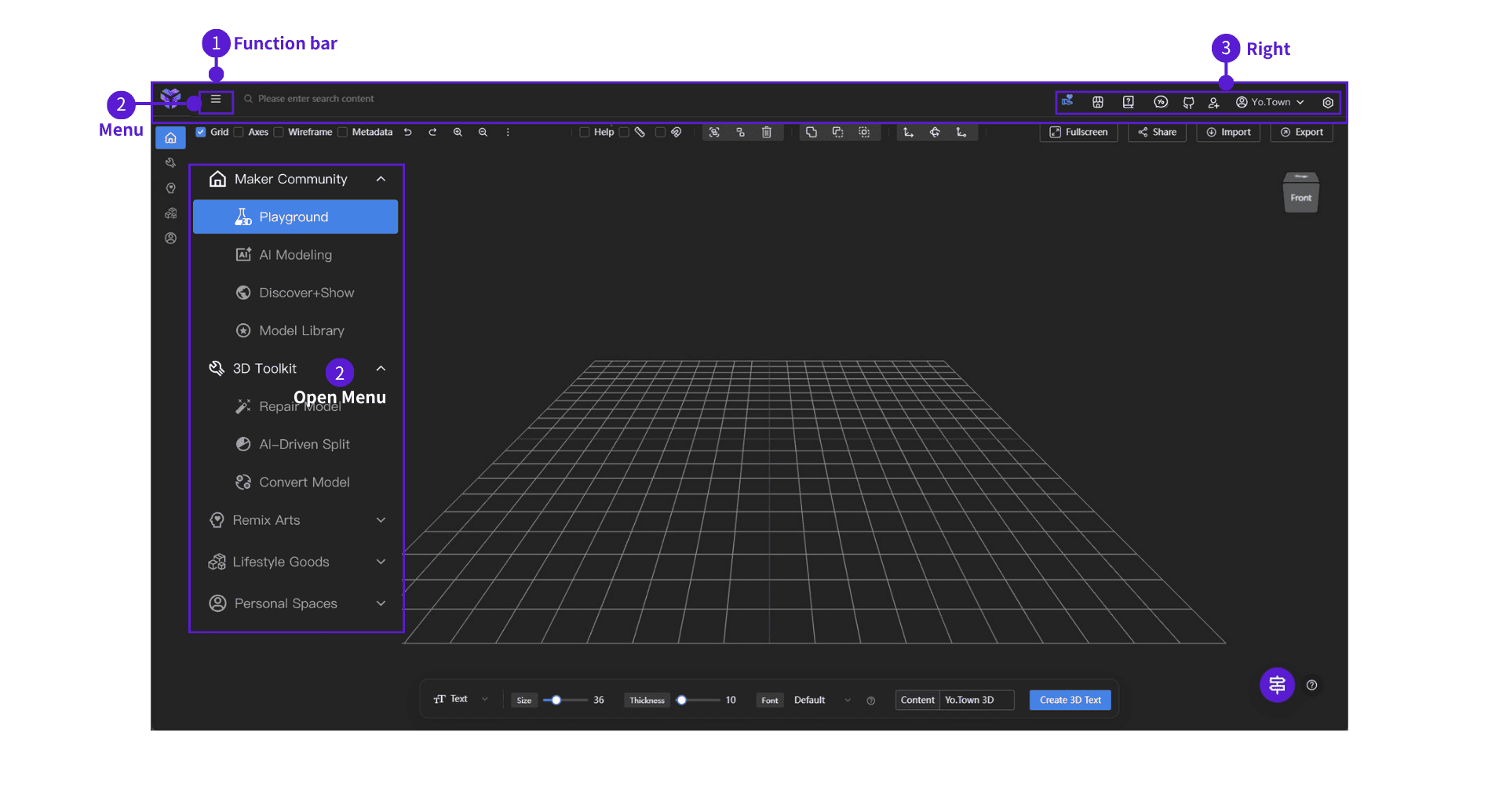
⓵ Top bar
- ⓶ Menu: tap the icon to open the menu
- ⓷ Right side: Join the Yo.Town Community,Yo.Town Shop, Documentation, Yo.Me (chat), Code Repository, Invite Friends, profile, settings, and more
Settings
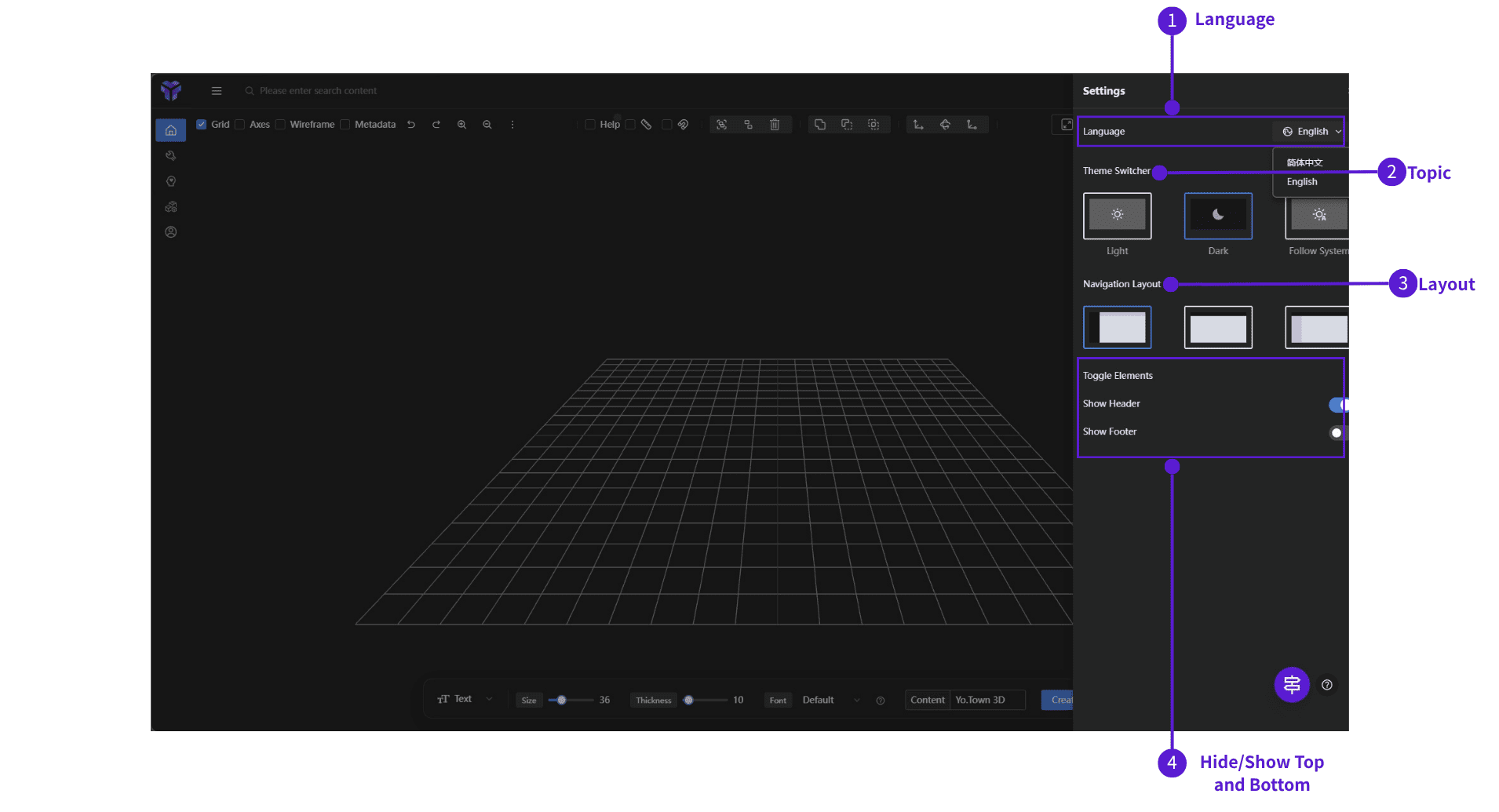
⓵ Language
- UI languages: Simplified Chinese, English
- Can follow the browser language
- Your choice is remembered for the next login
⓶ Theme
- Light — bright environments
- Dark — dim environments (default)
- Follow system — match OS theme
⓷ Navigation layout
- Left nav — menu on the left (default)
- No nav — hide the side menu
- Top nav — menu along the top
⓸ Toggle chrome
- Show header — top bar on/off
- Show footer — bottom footer on/off
Toolbar
Click the Settings icon on the top-right to open the panel and tune your workspace.
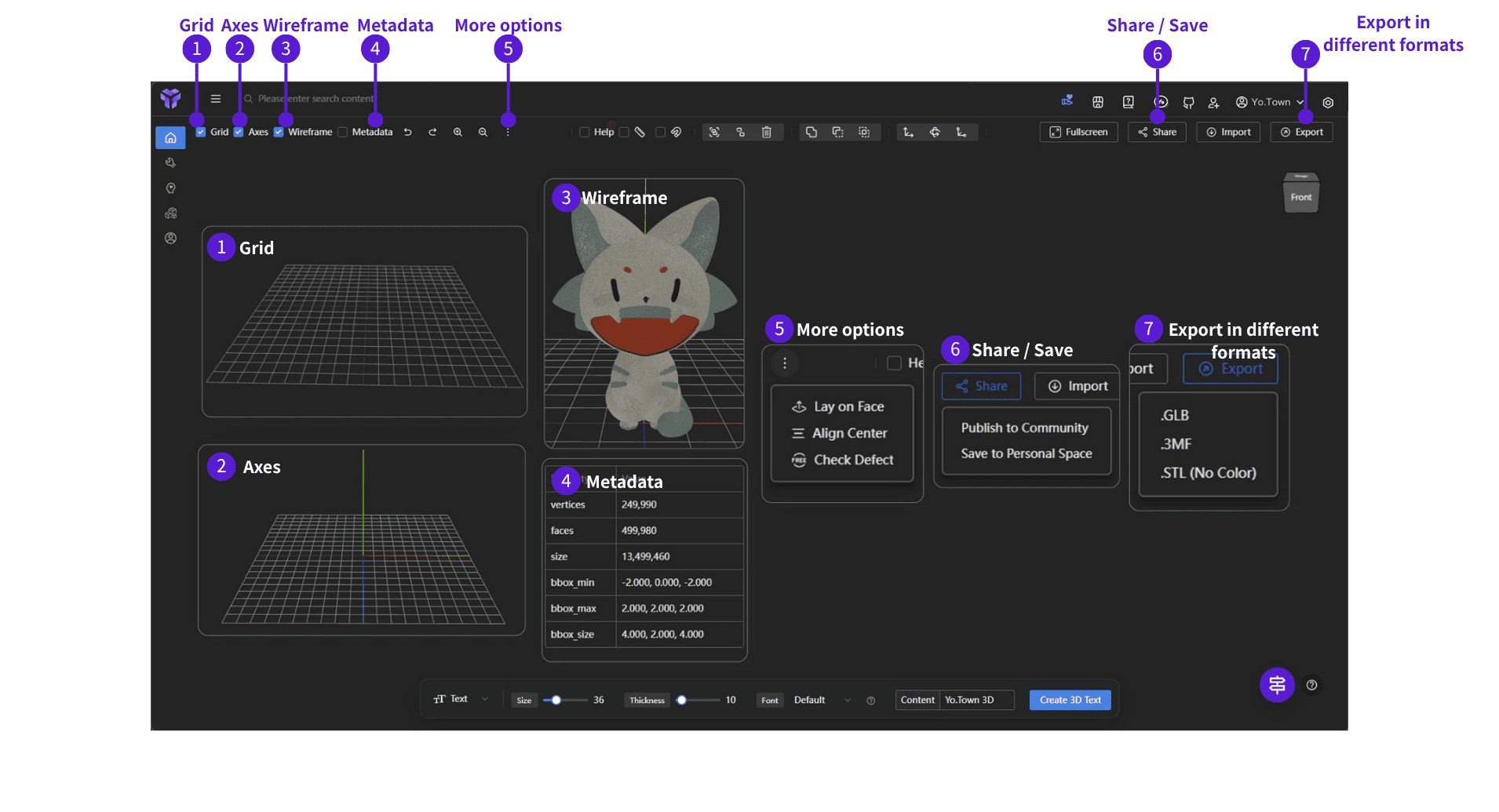
- ⓵ Grid: show / hide grid
- ⓶ Axes: show / hide axes
- ⓷ Wireframe: show / hide wireframe
- ⓸ Data: show / hide model data panel
- ⓹ More: extra tools (pick base face, center align, defect check, …)
- ⓺ Share / save: share work or save to personal space
- ⓻ Export: GLB / 3MF / STL, etc.
info
When you share your work (this creates an Artifacts Post), your account can earn YCoin rewards.
Bottom helper buttons
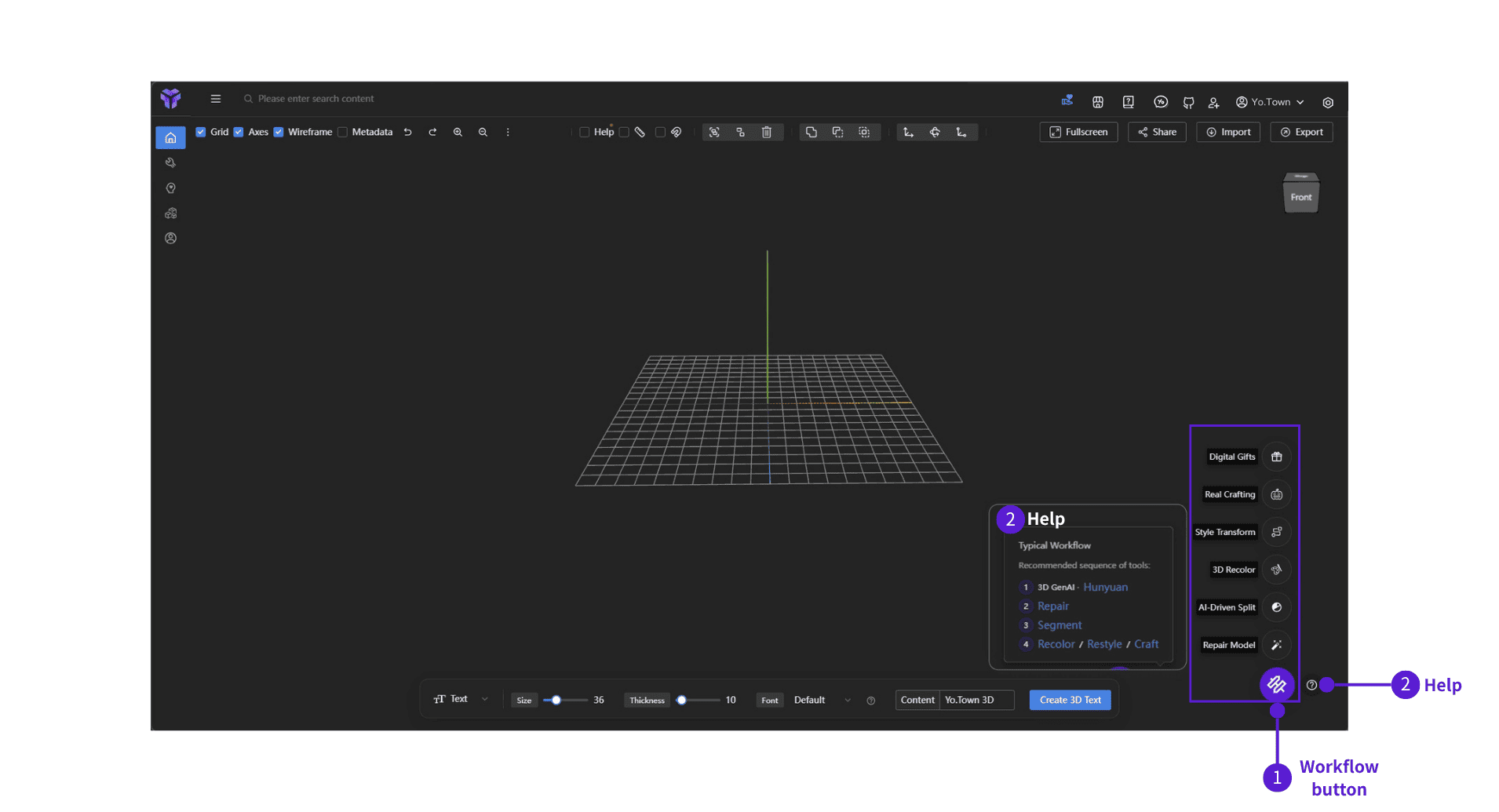
⓵ Workflow (purple round)
- Jump quickly between workspaces: 3D editor, model library, community, personal space, etc.
⓶ Help (gray round, ?)
- In-depth explanations and tips
- Learn tools faster
- Shortcuts to other features
Important
Only these two buttons carry the current model into another page for further work.
What's in the app
Yo.Town Maker is organized in the left nav. Overview:
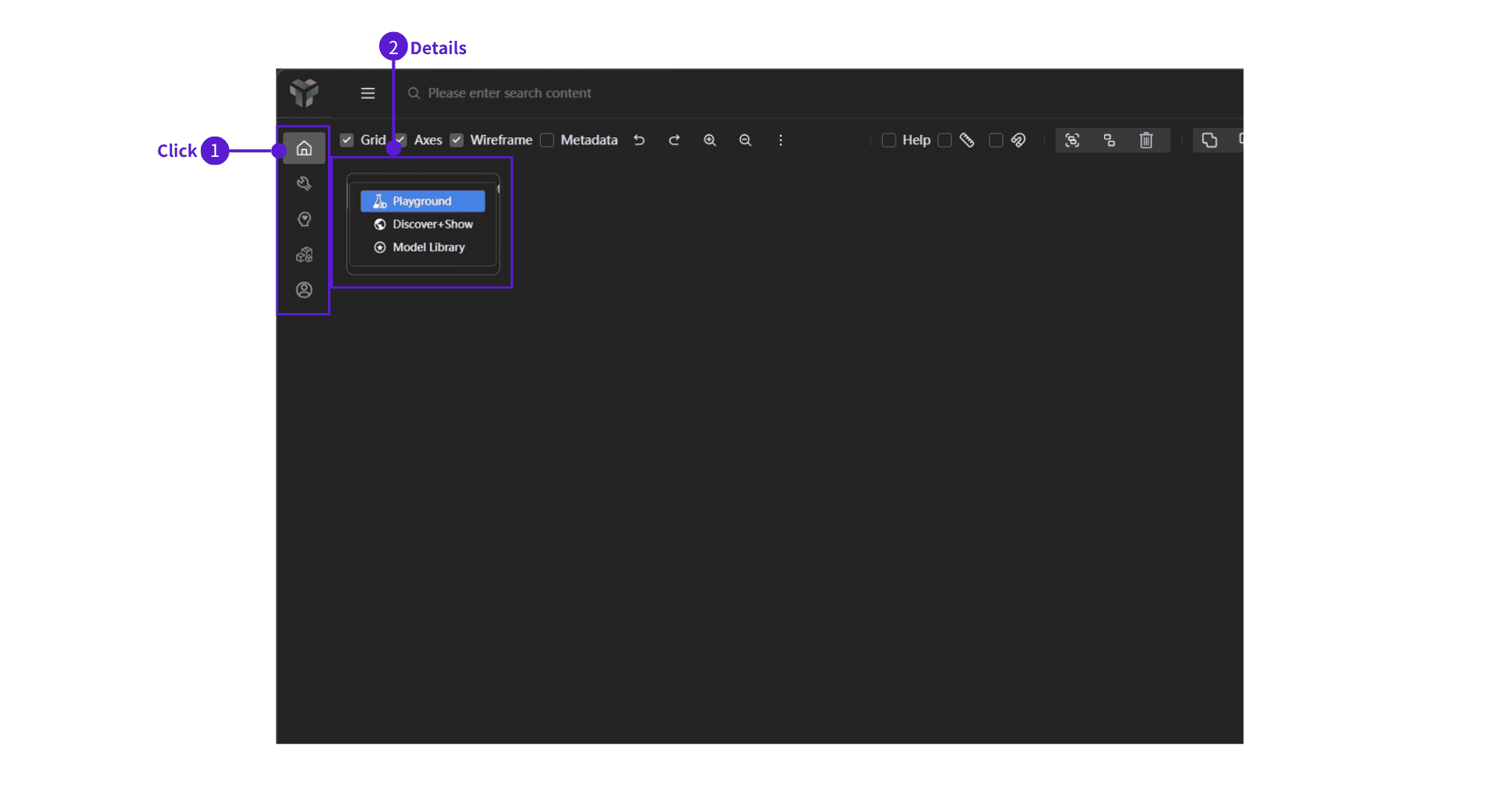
- ⓵ Click a nav item to open that area
- ⓶ Detail — categories and entries for each section
Maker Community
- Playground — base 3D workspace: text, primitives, move / rotate / scale
- Discover+Show — browse work shared by other creators
- Model Library — official models you can use
3D Toolkit
- Repair Model — fix holes, bad faces, and similar issues
- AI Segmentation — segment models for printing and editing
- Convert Model — export GLB, 3MF, STL, etc.
Remix Arts
- 3D Recolor — add rich colors to your model
- Style Transform — e.g. voxel / "blocky" look
- Music 3D — music + 3D view, staff editor and virtual keyboard
Lifestyle Goods
- Real Crafting — professional 3D sculpting: joints, carving, add-ons, and bases
- Digital Gifts — boxes, wrappers, sketches, music, and staging
- Featured Goods — curated 3D products to browse and buy
Personal Spaces
- Personal Profile — account, YCoin, subscriptions, redeem YCoin
- Artifacts Posts — your works: view, share, delete, or open in another tool
- YT Maker Contests — contests: submit originals or promo videos
Start now
These basics are on all plans—open Yo.Town Maker and try them.